
Mobile apps are no longer optional for businesses — they are how customers interact, how teams operate, and how revenue flows. From banking and retail to logistics and healthcare, every industry now runs a significant share of its critical operations through mobile platforms.
Yet most mobile app projects face the same problems: unclear requirements, rushed development, poor system integration, and weak planning for what happens after launch. Nearly 70% of large digital programs miss their targets on cost, schedule, or business value — not because the idea was wrong, but because the execution lacked structure.
This guide walks through the complete mobile app development process — from strategy and architecture to cost, security, and post-launch operations. Whether you are planning your first app or rebuilding an existing platform, these steps will help you make decisions that hold up under real usage and real growth.
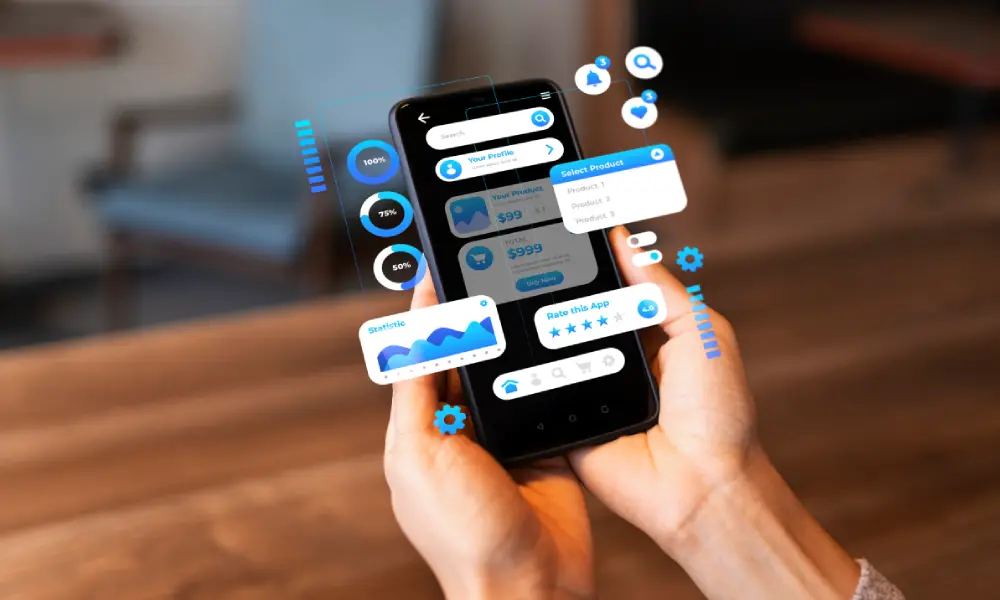
Mobile App Development Process: Step-by-Step
Building a mobile app for a business is not a single task with a clear end date. It is a connected sequence of decisions — each one shaping how the system behaves months after launch. Teams that skip steps or rush past them often spend more time fixing issues in production than they saved during development.
Here is how a well-structured mobile app development lifecycle looks from start to finish.
Step 1 – Define Business Goals and Success Metrics
Before any design or code begins, the team must know what the app is supposed to achieve. Vague goals like “better engagement” or “improved experience” make it impossible to know if the project succeeded.
Define specific, trackable metrics tied to real business outcomes:
- Revenue: conversion rate, average order value, repeat purchase rate
- Efficiency: manual hours saved, process cycle time, error rates
- User behavior: session duration, task completion rate, retention rate
Each feature in the app should connect directly to one of these metrics. For example, a one-click checkout feature should tie back to conversion rate and cart abandonment data. This keeps the team focused and makes post-launch evaluation straightforward.
Stakeholder alignment matters here too. CIOs, CTOs, and product leaders often have different priorities. Resolving those differences before development starts — not during it — prevents costly direction changes mid-project.
Step 2 – User Research and Competitive Analysis
Good apps are built on real data, not assumptions. Start by segmenting your users based on how they actually behave — pull signals from CRM systems, support logs, analytics, and transaction history.
For a logistics platform, users might include dispatch managers, drivers, and warehouse staff. Each group uses the app differently, expects different response times, and has different failure points. Understanding this before design begins shapes the entire product.
Competitive analysis should go deeper than UI comparisons. Look at how competing products handle:
- Onboarding and authentication
- Offline behavior and data sync
- API response times and load performance
- Feature depth across core workflows
This research reveals gaps — places where the market has weaknesses and where your product can genuinely stand out.
Step 3 – Requirements Engineering and Scope Definition
Unclear requirements are one of the top causes of schedule overruns and rework. The goal of this stage is a locked, shared understanding of what the app will do and how it must perform.
Split requirements into two categories:
Functional requirements — what the app does:
- User authentication and role-based access
- Order placement, payment flows, status tracking
- Data exchange with internal systems
Non-functional requirements — how the system performs:
- API response time targets (e.g., under 300ms at peak load)
- Concurrent user capacity
- Uptime targets and failover behavior
Compliance requirements belong here too — data privacy rules, payment security standards, and regional regulations. Mapping these to specific system components early prevents expensive rework during final testing.
Step 4 – UX Architecture and Experience Design
Enterprise UX is not about making things look good. It is about how quickly users complete tasks and how clearly they navigate workflows under pressure.
Start by mapping real workflows — not screens. Follow what a user actually does step by step. A technician using a field service app needs to log in, check assigned jobs, update status, and upload data — possibly with a poor network connection. Every screen decision flows from that reality.
Core UX design principles for business apps:
- Keep each screen focused on one primary task
- Reduce cognitive load by breaking complex flows into steps
- Maintain consistent patterns throughout the app
- Design for failure states — slow connections, partial data, timeout errors
Role separation is also essential. Managers, operators, and auditors all need different views. Mixing all data into a single interface slows work and increases errors. Design each role’s experience independently.
Test flows with clickable prototypes before any code is written. Measure how long tasks take and where users hesitate. Adjusting at this stage costs far less than adjusting after development.
Step 5 – Technical Architecture and Stack Selection
The architecture decisions made at this stage determine how the app performs under traffic, how fast teams can release updates, and how much it costs to run at scale.
Native vs Cross-Platform
| Factor | Native Apps | Cross-Platform Apps |
|---|---|---|
| Performance | Direct hardware access, stable under heavy load | Abstraction layer may cause lag in complex tasks |
| Development Speed | Separate iOS and Android builds | Single codebase for both platforms |
| Cost | Higher build and maintenance effort | Lower initial cost |
| Scalability | Handles large user loads and real-time operations | Works well for controlled, standard workloads |
| Best For | Trading, real-time systems, high-traffic apps | Internal tools, standard business workflows |
Backend Architecture
- Monolith — simpler to start with, faster early builds, but harder to scale specific functions later
- Microservices — each service handles one function and scales independently; better for complex, growing systems
Recommended Tech Stack
| Layer | Common Options |
|---|---|
| Backend | Node.js, Java, .NET |
| Mobile | Swift (iOS), Kotlin (Android), React Native, Flutter |
| APIs | REST for stable flows, GraphQL for flexible data needs |
| Infrastructure | Docker, Kubernetes, AWS / Azure / GCP |
| Monitoring | Sentry, Bugsnag, Datadog |
Step 6 – Development and Integration
Enterprise development runs in parallel streams. Frontend, backend, and integrations move simultaneously. Small gaps between these teams create problems that only appear during final testing — which is the worst time to find them.
Teams split work by service, not by screen. Backend engineers build APIs and data flows. Mobile teams consume those APIs. Integration teams connect external systems like ERP or CRM platforms. All three must stay synchronized through shared API contracts.
CI/CD pipelines keep releases stable. A standard pipeline includes automated builds, unit and integration tests, artifact versioning, and staged deployment from testing to staging to production. Environments stay isolated so testing never affects live users.
Integration work is consistently underestimated. Connecting a single ERP or payment system can take weeks of alignment before data flows correctly. Budget time for this — it is not a minor task.
Step 7 – Testing, QA and Security Validation
Testing answers one question: how does the system behave under real conditions? Not ideal ones.
Core testing areas:
- Functional testing on all critical workflows
- Performance testing under peak and spike traffic
- Security validation — access control, data storage, token handling
- User acceptance testing before release
Performance tests should simulate real peak load, not average usage. Traffic spikes during sales events or seasonal periods can be 3 to 5 times normal volume. Systems that perform well at average load often break under those conditions.
Security work must run alongside testing — not after it. Code scans, dependency checks, API testing for broken access, and review of device-level data storage all belong in this stage.
Release gates matter. If a build fails a security check or drops below performance targets, it does not move to production. This discipline keeps live systems stable.
Step 8 – Deployment and Go-to-Market
Deployment is how the app reaches users. How it gets there determines how safely new versions enter production.
Avoid releasing to all users at once. Use phased rollouts — start with a small percentage of users, monitor crash rates and API errors, then gradually increase exposure if metrics stay within acceptable limits.
Rollback planning is non-negotiable. If a release introduces issues, the team needs a fast recovery path: revert backend services, disable faulty features through feature flags, or remove app versions if necessary. These controls reduce user impact even when things go wrong.
Step 9 – Post-Launch Monitoring and Continuous Improvement
Launch is the beginning of live operations, not the end of the project. Systems need ongoing tracking and controlled updates to stay stable as usage grows.
Observability setup:
- Centralized logging for all services and APIs
- Real-time metrics dashboards with alerts
- Distributed tracing to locate slow services
- Error tracking with device and OS context
User analytics shows how people actually use the app — session duration, drop-off points, feature usage by role, task completion time. This data feeds the next release cycle. Teams fix real problems instead of guessing at improvements.
Regular releases with small, controlled changes — supported by feature flags and A/B testing — keep the system aligned with user needs over time.
Types of Mobile Apps for Businesses
Businesses rarely use one single app type. The right choice depends on traffic volume, user behavior, and how the app connects with other systems. Here is a clear comparison:
| App Type | Best Use Case | Key Strength | Key Limitation |
|---|---|---|---|
| Native Apps | Real-time systems, finance, high-traffic platforms | Fast response, direct device access, stable under load | Separate iOS and Android builds, higher cost |
| Cross-Platform Apps | Products needing faster multi-device rollout | Single codebase, quicker updates | May lag in complex workflows or heavy data tasks |
| Hybrid Apps | Internal dashboards, admin tools | Quick to build, works across platforms | Limited performance and weaker scaling |
| Progressive Web Apps (PWA) | Customer portals, low-frequency use cases | No install required, browser-accessible | Limited offline support and device control |
Many production systems mix these types. Core flows may run natively, while support features use shared code. This approach lets teams move faster without affecting performance where it matters most.
Enterprise App Architecture: What Powers Scalability
Production apps run on multiple interconnected layers. Each layer handles a specific responsibility. This separation allows the system to scale without breaking and keeps failures isolated rather than spreading across the entire application.
Frontend Layer
The frontend controls response speed, screen smoothness, and behavior across devices. Native builds — Swift for iOS, Kotlin for Android — give direct control over device hardware. This matters in apps that depend on real-time updates, camera access, or biometrics. Cross-platform tools like Flutter and React Native reduce duplicate work but introduce a bridge between code and device that can affect performance under heavy load.
Backend and Application Layer
This layer runs core business logic and manages how requests move through the system. As apps grow, teams move from a single codebase toward microservices — independent services for payments, user management, notifications, and so on. Each service scales on its own. A slowdown in one does not block the rest. Event-based systems like Kafka or RabbitMQ handle delayed or heavy tasks without slowing user-facing actions.
Data Layer
Relational databases handle structured records — orders, payments, accounts — where consistency matters. Non-relational systems manage flexible or large-scale data like user profiles and content. Caching reduces load on frequently accessed data. Data pipelines move information for reporting and analytics, either in batches or near real time.
Integration Layer
This layer connects the app with internal systems and external services. REST APIs handle predictable data flows. GraphQL helps when different screens need different data sets. Middleware translates between older and newer systems. Each integration point adds latency and failure risk — teams monitor both carefully.
Infrastructure Layer
Cloud platforms allow the system to scale based on demand. Docker containers package applications consistently. Kubernetes manages deployment, scaling, and recovery. This setup allows releases without downtime and handles sudden traffic increases without manual intervention.
Security Layer
Security protects every other layer. Role-based access controls who can do what. TLS encrypts data in transit. Device-level storage stays encrypted. Code scans and dependency checks run during development. Runtime monitoring continues after launch to catch unusual patterns before they affect users.
Key Technology Decisions That Impact Long-Term ROI
Build vs Buy vs Low-Code
| Approach | Pros | Cons | Best Fit |
|---|---|---|---|
| Build (Custom) | Full control over logic, data, and integrations | Higher cost and longer build time | Core business platforms tied to revenue |
| Buy (Off-the-shelf) | Faster setup, ready features | Limited control over workflows and data models | Standardized, non-differentiating functions |
| Low-Code | Quick setup, faster iterations | Performance and scale limits | Internal tools and prototypes |
Other Critical Decisions
- Cloud strategy: Single cloud keeps operations simple; multi-cloud spreads risk and supports regional compliance requirements
- AI and ML readiness: Only plan for AI features if clean, labeled data already exists — retrofitting data pipelines later is expensive
- Offline capability: Apps used in logistics, healthcare, or field operations must store data locally and sync when connectivity returns
How to Measure ROI
Return on investment from a mobile app shows up through measurable business results — not just usage numbers. Track these from the first release:
- Revenue impact: conversion rate, order value, repeat purchase frequency
- Operational efficiency: reduction in manual tasks, shorter cycle times, fewer errors
- Customer engagement: retention rate, session depth, task completion rate
Timelines and Delivery Models
Agile vs Waterfall vs Hybrid
| Model | Flexibility | Speed | Best Use Case |
|---|---|---|---|
| Agile | Adapts during development cycles | Fast, frequent releases | Products that evolve after launch |
| Waterfall | Fixed plan from start to end | Step-by-step delivery | Projects with locked, well-defined scope |
| Hybrid | Iterative builds with fixed checkpoints | Balanced pace | Large systems with compliance or audit requirements |
Realistic Timeline Expectations
| Stage | Scope | Timeline |
|---|---|---|
| MVP | Core features, limited integrations, controlled rollout | 3–6 months |
| Full-Scale App | Complete feature set, multiple integrations, performance tuning, security validation | 6–12+ months |
Most schedule delays appear during integration testing. Teams that build buffer time into these stages avoid last-minute surprises close to release.
Security, Compliance and Governance
Security and compliance must be designed into the system from the start. Gaps discovered late are expensive to fix and carry real business risk.
Data Protection and Privacy
| Region | Regulation | What It Covers |
|---|---|---|
| United States | HIPAA, CCPA | Health data protection, consumer data rights |
| Europe | GDPR | Consent, data access rights, right to deletion |
| Australia | Privacy Act 1988 | Data handling, user consent, cross-border rules |
| Middle East | PDPL (UAE, Saudi Arabia) | Data residency, user consent, processing control |
Identity and Access Management
- Role-based access separates permissions for admins, operators, and auditors
- Multi-factor authentication adds a second layer beyond passwords
- Session tokens expire on a schedule; idle sessions close automatically
DevSecOps Integration
Security checks run on every build — not just before release. Static code analysis, runtime API testing, and dependency scans all run automatically. After launch, monitoring systems detect unusual login patterns, traffic anomalies, and abnormal API calls before they become incidents.
Audit and Governance
Logs capture key system events — login attempts, data changes, configuration updates, and transactions. These logs are stored in centralized, tamper-resistant systems and support compliance audits by providing a clear record of how the system has behaved over time.
Common Mobile App Development Challenges and Solutions
Legacy System Integration Delays
Older systems often rely on batch processing or expose limited interfaces. Real-time data flow becomes hard to achieve.
Solutions: Build an API layer between old and new systems. Use middleware to handle format differences. Cache frequent responses. Test integrations with real data early in the project.
Scope Creep
New feature requests keep arriving once teams see early builds. Timelines stretch and focus shifts.
Solutions: Lock the core scope before development begins. Route new requests through a formal review process. Link every feature to a measurable business metric. Push lower-priority requests to future releases.
Data Silos Across Systems
Information sits in disconnected systems and does not sync in real time. Different teams see different numbers for the same metric.
Solutions: Create a central data layer for critical workflows. Synchronize key data in near real time. Standardize data formats across services. Add validation to catch mismatched records early.
Performance Bottlenecks at Scale
Apps run smoothly during testing but slow down under real traffic. Delays usually trace back to database queries or API response times.
Solutions: Test under peak conditions, not just average load. Auto-scale backend services based on demand. Optimize database queries and indexes. Cache high-frequency data at appropriate layers.
Low User Adoption After Launch
Users drop off when flows feel slow or confusing — even when features technically work as intended.
Solutions: Test task flows with real users before release. Keep screens focused on a single primary action. Add simple in-app onboarding. Monitor usage data and fix drop-off points in the next release cycle.
How to Choose the Right Mobile App Development Partner
The team you work with shapes how the app is built, how it runs under pressure, and how well it holds up in the months after launch. Many projects slow down during execution — not during planning. Choosing the wrong partner is one of the most common causes.
What to Look For
- Technical depth: Ask how they handle traffic spikes, slow APIs, and data sync issues. Strong teams discuss failure cases, not just successful outcomes
- Domain familiarity: Experience in your industry reduces time spent explaining basic workflows and compliance requirements
- Security practices: Get specific answers about access control, session management, and data storage — vague answers signal hidden risk
- Post-launch support: Understand who monitors the system after release and how quickly they respond to issues
Red Flags to Watch For
- Limited experience with complex integrations or high-traffic systems
- Unclear or inconsistent answers about security practices
- No defined plan for monitoring, maintenance, or updates after launch
- Timelines that ignore integration complexity and testing effort
A reliable partner sets realistic expectations, explains trade-offs clearly, and shows how they handle problems when systems are live — not just when everything is going well.
Future Trends in Mobile App Development (2026 and Beyond)
AI-Native Applications
AI is moving from an optional add-on to a core part of how apps work. Models are being integrated directly into critical flows — fraud detection, dynamic pricing, personalized recommendations. On-device inference is reducing latency for time-sensitive actions. Systems are beginning to retrain models based on live usage data rather than fixed training cycles.
Super Apps and Modular Ecosystems
Businesses are moving toward platforms that host multiple services inside a single app. Payments, support, analytics, and partner integrations sit on a shared identity and data layer. Feature rollouts happen at the module level. This reduces context switching for users and keeps engagement within a single experience.
Edge-Driven Processing
Data processing is moving closer to the user rather than relying entirely on central servers. Apps in logistics, healthcare, and field operations are processing data locally and syncing with central systems on a controlled schedule. This reduces latency and keeps apps functional even with unstable network connections.
Predictive User Experiences
Apps are beginning to act before users take action. Systems pre-load content based on usage patterns, trigger alerts based on predicted needs, and adjust task flows based on role and context. The result is faster task completion and less friction for users who interact with the app frequently.
Have a mobile app project in mind? The team at Try Digital Solution works with businesses to design and build mobile applications that perform under real conditions — from initial planning through post-launch growth. Get in touch to discuss your requirements.